Python Challenge - Level 14
- Link: http://www.pythonchallenge.com/pc/return/italy.html
- Username: huge
- Password: file
Problem
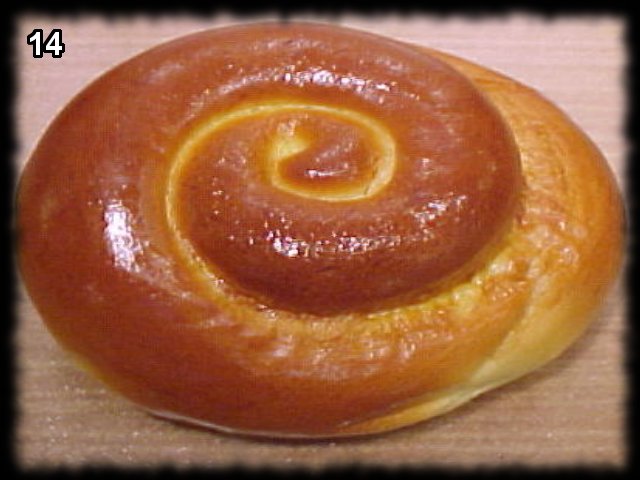
The HTML source gives two hints:
<!-- remember: 100*100 = (100+99+99+98) + (...  -->
<img src="wire.png" width="100" height="100" />
Although the HTML displays wire.png resized to 100 × 100, inspecting the image dimensions reveals it is actually a 10000 × 1 strip of pixels. The page title "walk around" and the formula 100 + 99 + 99 + 98 + ... indicate that we need to wind this 10,000-pixel strip into a 100 × 100 square in an inward spiral.
Solution
A spiral traversal inward follows directions: right, down, left, up. The step lengths decrease:
- Right: 100
- Down: 99, Left: 99
- Up: 98, Right: 98
- Down: 97, Left: 97 ... and so on.
Python
from PIL import Image

wire = Image.open("wire.png")
result = Image.new("RGB", (100, 100))

directions = [(1, 0), (0, 1), (-1, 0), (0, -1)]
x, y = -1, 0
p = 0
step_len = 200

while step_len // 2 > 0:
    for dx, dy in directions:
        steps = step_len // 2
        for _ in range(steps):
            x += dx
            y += dy
            result.putpixel((x, y), wire.getpixel((p, 0)))
            p += 1
        step_len -= 1

result.save("spiral.png")
The reconstructed image depicts a cat:

Visiting cat.html responds with: "and its name is uzi. you'll hear from him later."
Go
package main

import (
	"image"
	"image/color"
	"image/png"
	"os"
)

func main() {
	f, err := os.Open("wire.png")
	if err != nil {
		panic(err)
	}
	defer f.Close()

	src, err := png.Decode(f)
	if err != nil {
		panic(err)
	}

	dst := image.NewRGBA(image.Rect(0, 0, 100, 100))
	dirs := [][2]int{{1, 0}, {0, 1}, {-1, 0}, {0, -1}}

	x, y, p := -1, 0, 0
	stepLen := 200

	for stepLen/2 > 0 {
		for _, d := range dirs {
			steps := stepLen / 2
			for s := 0; s < steps; s++ {
				x += d[0]
				y += d[1]
				c := src.At(p, 0)
				r, g, b, a := c.RGBA()
				dst.Set(x, y, color.RGBA64{uint16(r), uint16(g), uint16(b), uint16(a)})
				p++
			}
			stepLen--
		}
	}

	out, _ := os.Create("spiral.png")
	defer out.Close()
	png.Encode(out, dst)
}
Rust
use image::{ImageBuffer, RgbImage};

fn main() -> Result<(), Box<dyn std::error::Error>> {
    let wire = image::open("wire.png")?.to_rgb8();
    let mut canvas: RgbImage = ImageBuffer::new(100, 100);

    let dirs = [(1, 0), (0, 1), (-1, 0), (0, -1)];
    let (mut x, mut y, mut p) = (-1i32, 0i32, 0u32);
    let mut step_len = 200;

    while step_len / 2 > 0 {
        for (dx, dy) in dirs {
            let steps = step_len / 2;
            for _ in 0..steps {
                x += dx;
                y += dy;
                let pixel = wire.get_pixel(p, 0);
                canvas.put_pixel(x as u32, y as u32, *pixel);
                p += 1;
            }
            step_len -= 1;
        }
    }

    canvas.save("spiral.png")?;
    Ok(())
}
Language Comparison
| Feature | Python | Go | Rust |
|---|---|---|---|
| Coordinate Math | Python's unbounded integers naturally handle negative intermediate coordinates (-1) |
Signed integers (int) easily convert to unsigned bounds |
Strict signedness distinction: signed coordinates (i32) must be cast (as u32) for image indexing |
| Pixel Manipulation | getpixel/putpixel incur Python bytecode dispatch on 10,000 pixels |
dst.Set(x, y, ...) or direct buffer access via dst.Pix |
Direct bounds-checked or unchecked buffer access; zero runtime overhead |
| Image Generation | PIL/Pillow | Standard library image/png |
Ecosystem crate image |
Key insight: Rust's type system prevents subtle off-by-one and out-of-bounds indexing bugs through explicit u32 vs i32 distinctions. Go's standard library handles PNG generation with no external dependencies.
Next Level
The cat's name is uzi: